Tutorial on how to add gadjetes clock as the blog, visitors online, popular posts, HTML etc.. To add your gadjetes is very simple just click on "Layout" to add your gadjete like the image below:
For your blog to appear in search engines like Google open your blogger account and click "Settings", "Basic" after that click "Privacy" tab and check the two options to yes.
In this tutorial you will be learning how to delete comments on your blog or make new comments. To do this is simple just click on "Comments" on the sidebar of your blogger account.
When you create a new blog you will have to enter the blog address (url) thru this address you can go to your blog, check out the image below for an example:
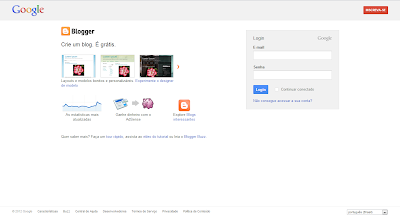
In this tutorial you will be learning how to create a free blog on blogger without having to program or something. 1 - First go to the site www.blogger.com, if you already have an account on google just type your email address and password that your account will be activated on blogger, but if no click write up and enter your data;
2 - After you have created your account you will see a box to enter the name and url of your blog such as this blog is named Computer Tips and Games and url inforgamesdicas.blogspot.com.br See also:
To view and connect to available wireless networks in Windows Vista follow the tutorial below: 1 - Open Connect to a Network by clicking the Start button Picture of the Start button, and then clicking Connect to. 2 - In the Show list, click Wireless. 3 - Click on the network you want to connect and click Connect. 3 - If you are connecting to a secure network, type the security key, and then click OK. If you do not see the network you want to connect to, click Set up a connection or network. A list of options that includes manually searching for and connecting to a network, as well as creating a new network connection.